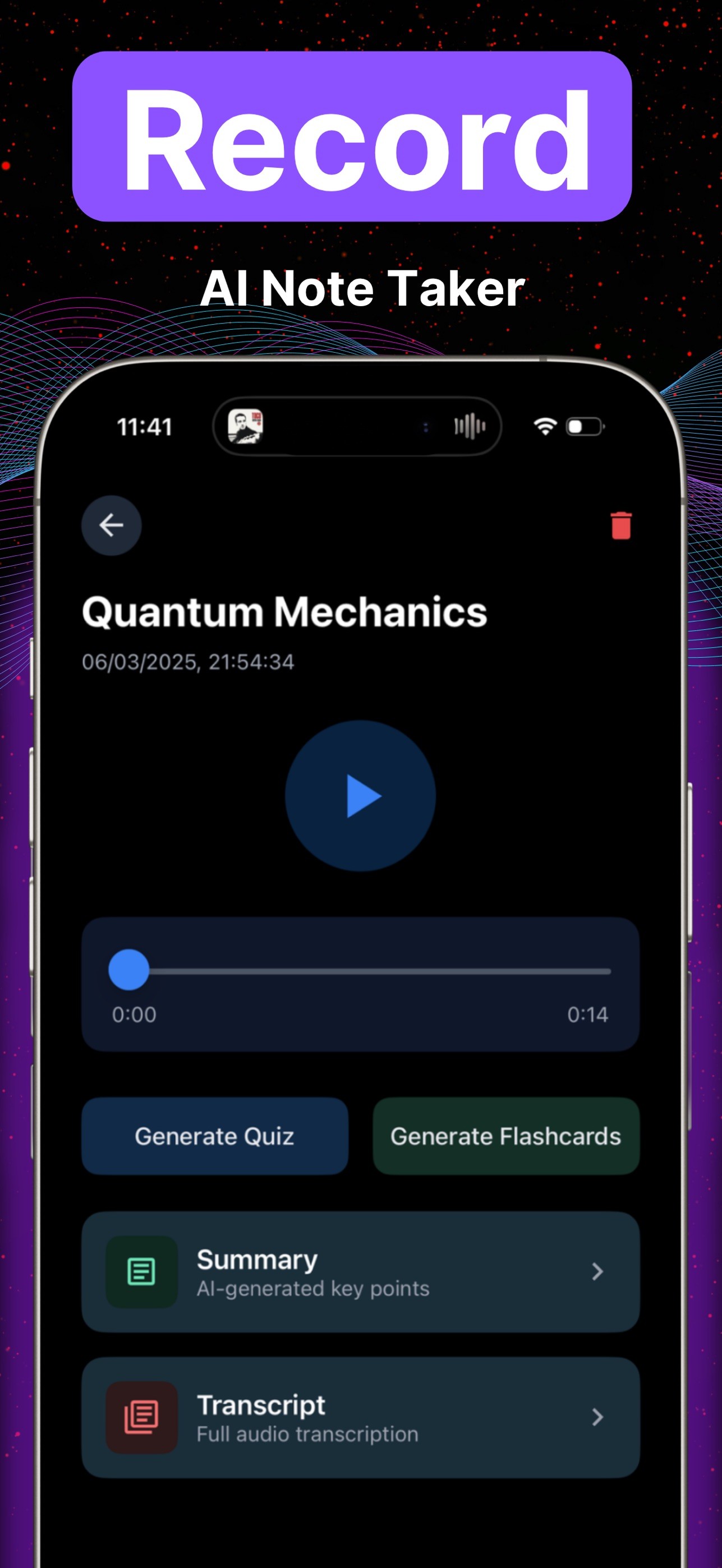
A YouTube notes taker turns a video link into a notes page you can revise from, then into quizzes and flashcards. In Lecha you paste the link on app.lecha.app or in the iPhone / iPad app. You get notes, a transcript, quizzes, and flashcards. The homepage says that path finishes in under 60 seconds; treat that as a homepage claim, not a sourced benchmark. It does not sit your exam, and it does not raise a grade by itself.
This URL used to sell “nearly half the cost,” wink at unnamed competitors, and call Lecha the “ultimate” YouTube tool. Those claims are withdrawn. The slug stays; the title and body do not. Doorway duplicates at /youtube-video-notes-taker-ai and /ai-that-takes-notes-on-a-youtube-video-lecha stay untouched today (merge later). The App Store listing (21 Aug 2026) covers iPhone and iPad, iOS 16.0+ / iPadOS 16.0+.
Key takeaways
Paste a YouTube link. You get notes plus retrieval (quizzes, flashcards), not only a summary paragraph.
“Under 60s” is a homepage claim. Verify speed yourself if it matters.
Ask whether the video may be uploaded or processed for your course.
Phone or web both work. Live lecture recording is a different path: lecture into notes.
Do not trust blogs that invent competitor prices. This page used to; that copy is gone.
When is YouTube the right input?
You have | Use | Don’t use |
|---|---|---|
A YouTube lecture or tutorial link | Paste on app.lecha.app or iOS | Waiting for a “web version” — it is live |
A live class in the room | The iPhone/iPad recorder | A YouTube tool on an empty room |
A PDF handout | Forcing the deck through YouTube | |
One stuck homework question | Photo Tutor on a photo of that question | Treating video notes as a submitted answer key |
How do you turn a YouTube video into notes in Lecha?
Check you are allowed to process that video for the course.
Open app.lecha.app or the iOS app.
Paste the YouTube link.
Use the notes page for revision. Use the transcript for wording you need to check.
Generate quizzes or flashcards the same day (product supports 5 / 10 / 20-question quizzes). Dunlosky, Rawson, Marsh, Nathan and Willingham (2013) rated practice testing high-utility and rereading low-utility (journal article). That paper does not evaluate Lecha.

For lecture recording instead of a link: How to transcribe a lecture, get notes, and use Photo Tutor. For what an AI note taker is without the YouTube focus: What an AI note taker does in Lecha.
Not for you
You wanted a sourced price shootout against unnamed apps. This page will not invent one.
You need Android.
Your course forbids uploading or processing that video.
The exam is closed-book or bans AI / outside help.
You only wanted a shorter transcript to highlight and reread.
You wanted a grade guarantee or “ace your next exam” promise.
How Lecha helps
Shipped on lecha.app and the App Store as of 28 Aug 2026: YouTube link → notes, flashcards, quizzes; audio, PDFs, video, images → notes, transcripts, quizzes, flashcards; lecture recording on iPhone/iPad; Photo Tutor; web. A free trial exists; this article does not state a length.
App Store rating as listed 21 Aug 2026: 4.6 out of 5 from 106 ratings. That is not a student count, and it is not a grade result.
Open the web app or download on iOS.
FAQ
Can Lecha take notes from a YouTube video?
Yes. Paste the link on web or iOS. You get notes, a transcript, quizzes, and flashcards.
How fast is it?
The homepage says under 60 seconds. That is a homepage claim. Check the current product yourself if timing matters.
Will this help me on the exam?
It can give you a notes page and retrieval practice. It cannot sit the paper.
Does it work on iPad?
Yes. iPhone and iPad, iOS 16.0+ / iPadOS 16.0+ as listed 21 Aug 2026. Also app.lecha.app.
Is there a free trial?
The homepage calls out a free trial. Check the current offer. This article does not state a length.
Why are there other YouTube URLs on the site?
Thin duplicates exist. This slug is the keep+fill. The others are marked for merge later and are not republished today.