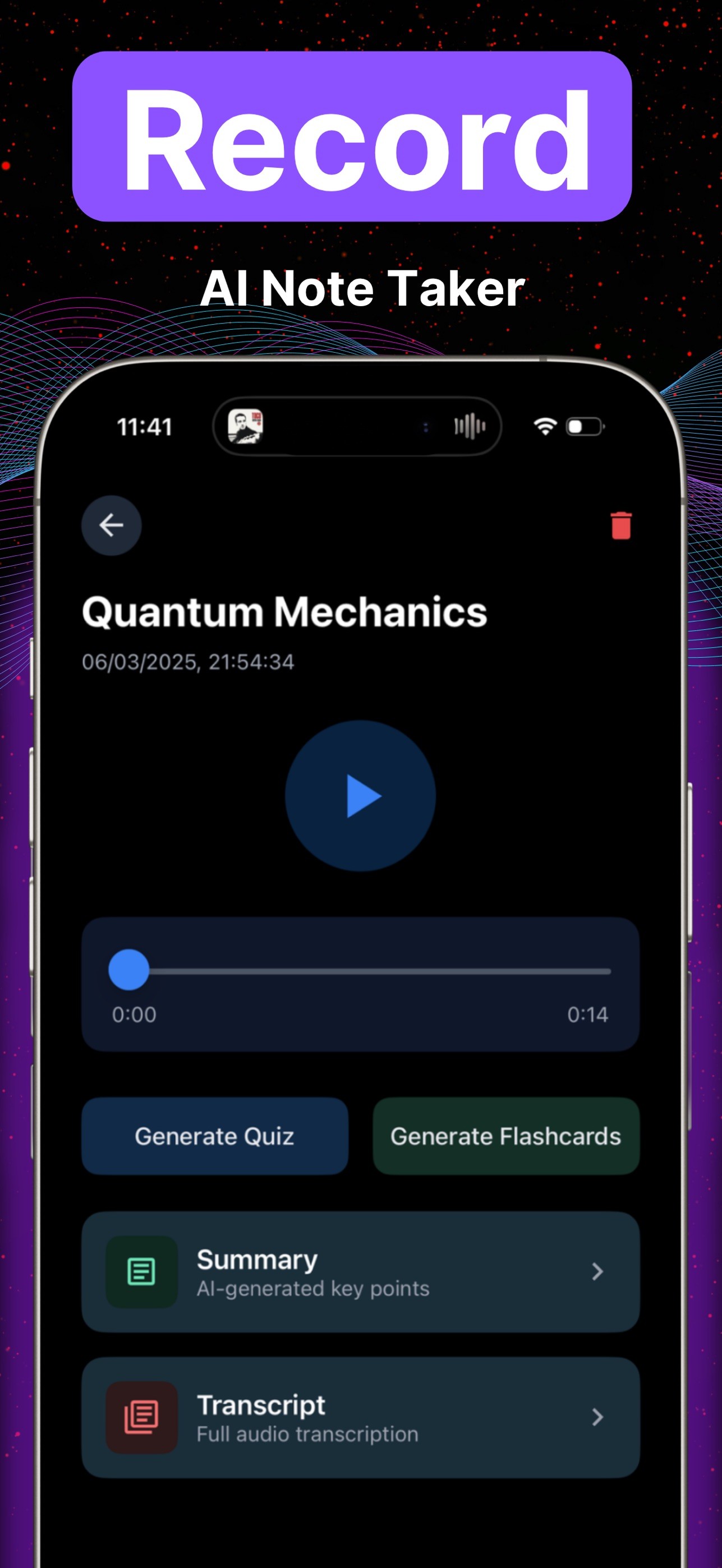
An AI lecture note taker turns a lecture you may record or upload into a notes page, then into quizzes and flashcards you can practice from. In Lecha that means record on iPhone or iPad, or add audio, a PDF, video, an image, or a YouTube link at app.lecha.app. The app returns notes, a transcript, quizzes, and flashcards. It does not raise a grade by itself, and it is not something to open in a closed-book exam.
This URL used to promise “boost your academic success” and frame Photo Tutor as instant solutions. Both were wrong. The slug stays; the title and body do not. GSC (28d to 18 Aug 2026): 172 impressions, 0 clicks, average position about 3.6. The App Store listing (21 Aug 2026) covers iPhone and iPad, iOS 16.0+ / iPadOS 16.0+.
Key takeaways
Capture is half the job. Retrieval (quizzes, flashcards) is the other half. Rereading the new notes page is still rereading.
Ask before you record. Do not use this on an assessment that bans outside help.
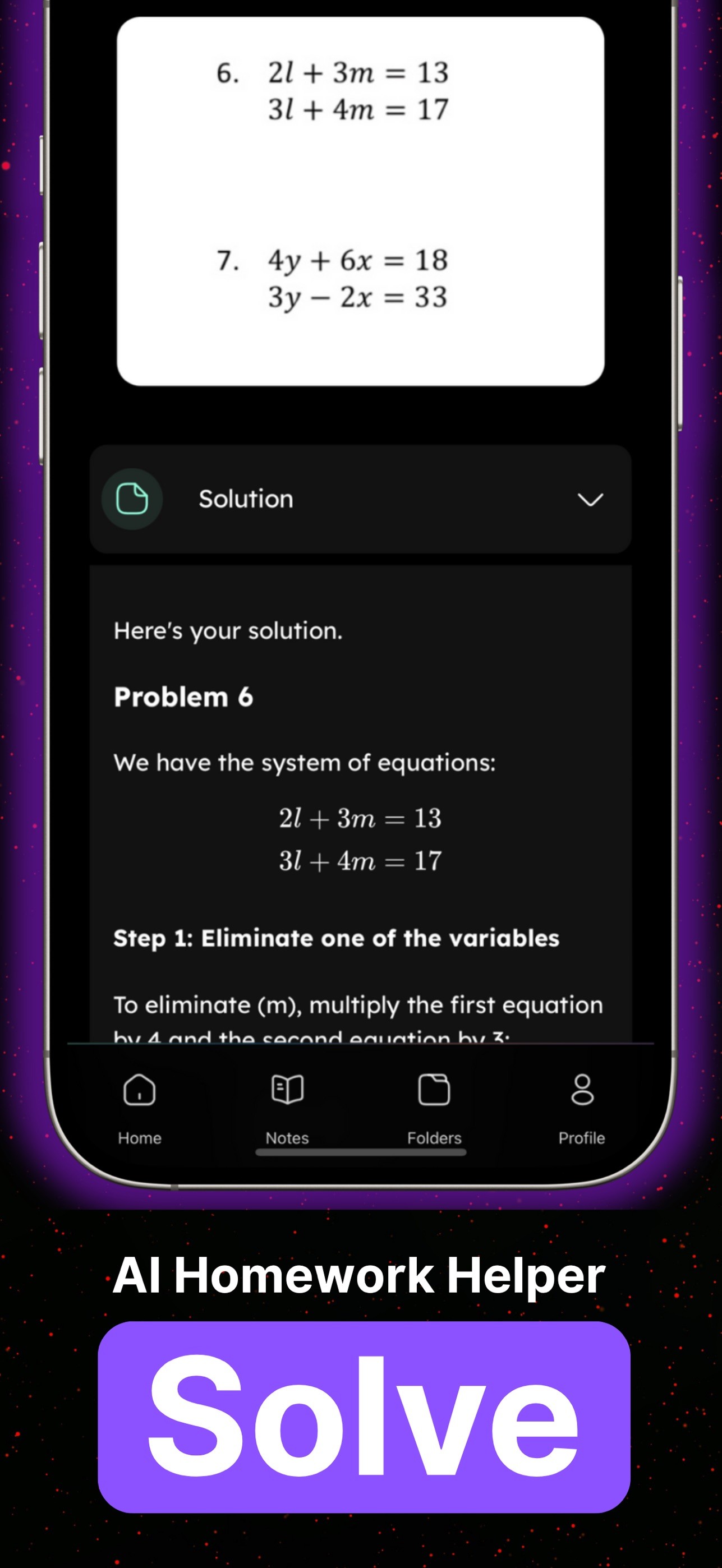
Photo Tutor is step-by-step guidance on a photographed question, not an answer you submit.
Phone recorder for the room. Website for files and links. See website that turns lectures into notes.
What should you use for which lecture input?
You have | Use | Don’t use |
|---|---|---|
A live lecture you may record | iPhone/iPad recorder → transcript + notes | Zoning out because “AI will catch it” |
Audio, PDF, video, or image on a laptop | Waiting for a “web version” — it is live | |
A YouTube link | Paste on web or iOS; “under 60s” is a homepage claim only | A sourced speed benchmark |
One stuck homework question | Photo Tutor on a photo of that question | Pasting the guidance as submitted work |
The full in-room sequence is here: How to transcribe a lecture, get notes, and use Photo Tutor. For “what is an AI note taker” without the lecture focus, see What an AI note taker does in Lecha.
How do you turn a lecture into notes and practice?
Check whether recording or uploading is allowed.
Record on iPhone or iPad, or add the file/link at app.lecha.app.
Use the transcript for wording you need to check. Use the notes page for revision.
Generate quizzes or flashcards the same day. Dunlosky, Rawson, Marsh, Nathan and Willingham (2013) rated practice testing high-utility and rereading low-utility (journal article). That paper does not evaluate Lecha.
If one problem does not match the transcript, photograph it in Photo Tutor and cover the next line while you try the step yourself.

What is Photo Tutor actually for?
Photo Tutor takes a photo of a question and returns step-by-step guidance. It is for practice and permitted homework when your course allows outside help. It is not an exam device, and it is not a finished answer to paste in. Older copy on this URL called that “instant solutions.” That framing is dropped.
Not for you
You wanted a grade guarantee or “boost academic success” promise. This page will not give one.
You need Android.
Your course forbids recording or uploads.
The exam is closed-book or bans AI / outside help.
You wanted Photo Tutor to finish and submit the problem set for you.
You only wanted a prettier page to highlight and reread.
How Lecha helps
Shipped on lecha.app and the App Store as of 26 Aug 2026: record lectures; transcribe voice notes into formatted notes; turn audio, PDFs, video or images into notes, transcripts, quizzes and flashcards; Photo Tutor; iPhone/iPad (iOS 16+) and web. A free trial exists; this article does not state a length.
App Store rating as listed 21 Aug 2026: 4.6 out of 5 from 106 ratings. That is not a student count, and it is not a grade result.
Open the web app or download on iOS.
FAQ
Does Lecha work as an AI lecture note taker?
Yes. Record on iPhone or iPad, or upload lecture-shaped files on web or iOS. You get notes, a transcript, quizzes, and flashcards. College is a common use, not a claimed partnership or outcome.
Will this boost my academic success?
No. Quizzes and flashcards are retrieval practice. They do not sit the paper or raise a grade by themselves. This page used to imply otherwise; that claim is removed.
Is Photo Tutor a homework solution generator?
No. It is step-by-step guidance on a photographed question. Use it on practice and permitted work. Do not treat the guidance as submitted work.
Does the website turn lectures into notes?
Yes. app.lecha.app is live for files and links. The phone recorder is for the room. Details: website that turns lectures into notes.
Is there a free trial?
The homepage calls out a free trial. Check the current offer. This article does not state a length.
Does it run on iPad?
Yes. App Store listing 21 Aug 2026: iPhone and iPad, iOS 16.0+ / iPadOS 16.0+. Also app.lecha.app.